mirror of
https://github.com/DayuanJiang/next-ai-draw-io.git
synced 2026-09-02 01:20:23 +08:00
 449e4c4e26
* feat: add file-based admin settings panel at /admin

Settings saved in the panel are written to data/settings.json and
overlaid onto process.env, taking precedence over environment
variables and applying immediately without restart. Enable by setting
ADMIN_PASSWORD; on serverless platforms without persistent disk the
panel degrades to read-only.

* polish: admin panel UI improvements

- Provider logos in credential rows (shared ProviderLogo component,
  extracted from model-config-dialog)
- Scroll-spy active state in the sidebar nav
- Green success state in the save bar that clears after a few seconds
- Wider content column (max-w-6xl) for less wasted space on desktop

* polish: admin panel section toggles and reorder

- Move Quota & Rate Limits to the end of the settings page
- Add enable switches to Observability and Quota sections; default off
  with fields grayed out, auto-on when any field is already configured

* polish: make section enable switch more visible

Wrap the switch in a labeled pill ('Enabled'/'Disabled') with border
and background so the off state is clearly visible.

* refactor: derive admin registry from PROVIDER_INFO, simplify page state

- Provider options, labels, and base-URL placeholders now come from
  PROVIDER_INFO instead of hand-copied lists (fixes SiliconFlow .com/.cn
  placeholder drift; panel names now match the model-config dialog)
- Replace free-text subgroup strings + SUBGROUP_PROVIDERS reverse map
  with a typed provider field on SettingDef
- Precompute SETTINGS_BY_GROUP and PROVIDER_SUBGROUPS at module level
- Merge justSaved into saveMessage, drop unused mainRef, hoist
  fetchSettings out of the component, dedupe savedText logic
- Serialize from SETTINGS_REGISTRY directly; json validators in a map
  instead of a hardcoded key check
- Make allowPrivateUrls a function so ALLOW_PRIVATE_URLS edits in the
  admin panel apply without restart

* feat: graphical model management in admin panel

Replace the provider credential fields and raw AI_MODELS_CONFIG JSON
textarea with a Models section mirroring the in-app model settings UI:
provider instance list with logos, credential fields per provider type,
model add/remove with suggestions, per-model connectivity test, and a
default-provider star.

On save the server derives everything the runtime needs into
settings.json: credential env vars (with _2 suffixes for multiple
instances of one provider), AI_MODELS_CONFIG, and AI_PROVIDER/AI_MODEL
for the default. Secrets round-trip as masked markers and are never
sent back to the browser. The general settings registry now only
covers non-provider settings (generation, access, features,
observability, quota).

* fix: allow testing unsaved providers in admin panel

The test button previously looked up credentials by providerId in the
saved settings, so testing a newly added (unsaved) provider failed with
'Unknown provider or model'. The test endpoint now accepts the client's
current provider state; newly typed secrets are used as-is and masked
markers are resolved against the stored values, so testing works both
before and after saving.

* fix: merge env AI_MODELS_CONFIG with admin panel providers

Previously, saving in the admin panel wrote a complete AI_MODELS_CONFIG
into settings.json, which (by overlay precedence) replaced any config
from .env or ai-models.json — admins lost their env-configured models.

The panel no longer writes AI_MODELS_CONFIG. Instead its providers are
merged with the env baseline at read time in loadRawServerModelsConfig,
and panel credentials go to ADMIN_-prefixed env vars wired up via
apiKeyEnv/baseUrlEnv so they never shadow standard vars. Env-based
providers now appear read-only in the panel, name clashes are rejected,
and a panel default overrides the env default. data/ is now gitignored.

* fix: block global-credential providers already managed via env

Bedrock, Vertex AI, and Ollama credentials live in fixed env vars with
no apiKeyEnv redirection, so a panel instance of one of these would
silently override the credentials that env-configured models rely on.
The API now rejects saving such a provider when the env config already
uses that type, and the Add Provider dropdown disables it with a
'managed via env' note.

* fix: address admin panel review findings

- Security: test-model no longer resolves a stored secret when the
  request's baseUrl/provider differs from the stored entry, closing a
  path where a tampered baseUrl could exfiltrate a saved key
- Save failures are now visible: the save bar shows the error in red
  (was masked by the persistent 'Unsaved changes' text), and per-field
  validation errors from the settings API are surfaced under each field
- The Observability/Quota enable switch is now real: toggling off stages
  deletion of the group's saved values, and the toggle no longer snaps
  back to Enabled after saving
- Env provider's default star is hidden when a panel provider is the
  active default (no more double star)
- Clearing a credential field reverts to the stored value instead of
  silently deleting it; an explicit X button removes a stored secret
- Form inputs are disabled during an in-flight save

* refactor(admin): split 1549-line admin page into focused modules

Extract admin-shared.ts (types + fetch helper), setting-field.tsx
(registry-driven fields), and models-section.tsx (provider/model
manager) from page.tsx. Pure mechanical move, no behavior change.

* feat(admin): share credential fields with user dialog and localize panel

Extract ProviderCredentialsFields (display name + per-provider
credential inputs) used by both the user ModelConfigDialog and the
admin Models panel; secret input passed via renderSecret (plaintext
vs masked), test button via footer slot. Add full i18n for the admin
panel across en/zh/ja/zh-Hant, reusing modelConfig.* for shared parts.

* fix(admin): address Copilot review findings

- Reflect built-in defaults for boolean settings (ALLOW_PRIVATE_URLS
  defaults on) and allow clearing a saved boolean back to default,
  so the SSRF toggle matches actual runtime behavior.
- Harden JSON loading: filter settings values to strings only, and
  schema-validate stored ADMIN_PROVIDERS entries, dropping malformed
  ones instead of letting them reach runtime code.
- Set beforeunload returnValue so the unsaved-changes prompt shows in
  all browsers; reject non-finite numbers in settings validation.
- Fix README/CN/JA docs that claimed the panel auto-generates
  AI_MODELS_CONFIG (providers are merged at read time, not written).
- Add unit tests for corrupted-file value filtering and provider
  schema validation.

* docs: move admin panel details to dedicated docs/{en,cn,ja}/admin-panel.md

The READMEs now carry a short blurb + link, matching the existing
per-topic docs (docker.md, ai-providers.md, ...). Removes the ~22-line
inline section and the duplicated data/settings.json mentions.

* fix(admin): address follow-up Copilot findings on the prior fixes

- loadAdminProviders now validates against a stored-shape schema where
  secrets are plain strings, so a hand-edited ADMIN_PROVIDERS holding an
  {isSet} marker is dropped instead of later crashing maskSecret().
- loadSettings guards against array values (typeof [] === 'object'),
  which would otherwise overlay numeric keys onto process.env.
- Admin SecretInput uses the bare id so the shared component's
  <Label htmlFor> stays associated (only one ProviderDetail mounts).
- Add tests: marker-secret rejection, array-values guard, bedrock
  multi-secret round-trip.
261 lines
13 KiB
Markdown
261 lines
13 KiB
Markdown
# Next AI Draw.io
|
||
|
||
<div align="center">
|
||
|
||
**AI搭載のダイアグラム作成ツール - チャット、描画、可視化**
|
||
|
||
[English](../../README.md) | [中文](../cn/README_CN.md) | 日本語
|
||
|
||
[](https://next-ai-drawio.jiang.jp/)
|
||
|
||
[](https://opensource.org/licenses/Apache-2.0)
|
||
[](https://nextjs.org/)
|
||
[](https://react.dev/)
|
||
[](https://github.com/sponsors/DayuanJiang)
|
||
|
||
[](https://next-ai-drawio.jiang.jp/)
|
||
|
||
</div>
|
||
|
||
AI機能とdraw.ioダイアグラムを統合したNext.jsウェブアプリケーションです。自然言語コマンドとAI支援の可視化により、ダイアグラムを作成、修正、強化できます。
|
||
|
||
> 注:<img src="https://raw.githubusercontent.com/DayuanJiang/next-ai-draw-io/main/public/doubao-color.png" alt="" height="20" /> [ByteDance Doubao](https://www.volcengine.com/activity/codingplan?ac=MMAP8JTTCAQ2&rc=Z9Z3LDTJ&utm_campaign=drawio&utm_content=drawio&utm_medium=devrel&utm_source=OWO&utm_term=drawio) のご支援により、デモサイトに強力な glm-4.7 モデルを導入しました!
|
||
|
||
https://github.com/user-attachments/assets/b2eef5f3-b335-4e71-a755-dc2e80931979
|
||
|
||
## 目次
|
||
- [Next AI Draw.io](#next-ai-drawio)
|
||
- [目次](#目次)
|
||
- [例](#例)
|
||
- [機能](#機能)
|
||
- [MCPサーバー](#mcpサーバー)
|
||
- [Claude Code CLI](#claude-code-cli)
|
||
- [はじめに](#はじめに)
|
||
- [オンラインで試す](#オンラインで試す)
|
||
- [デスクトップアプリケーション](#デスクトップアプリケーション)
|
||
- [Dockerで実行](#dockerで実行)
|
||
- [インストール](#インストール)
|
||
- [デプロイ](#デプロイ)
|
||
- [EdgeOne Pagesへのデプロイ](#edgeone-pagesへのデプロイ)
|
||
- [Vercelへのデプロイ](#vercelへのデプロイ)
|
||
- [Cloudflare Workersへのデプロイ](#cloudflare-workersへのデプロイ)
|
||
- [マルチプロバイダーサポート](#マルチプロバイダーサポート)
|
||
- [仕組み](#仕組み)
|
||
- [サポート&お問い合わせ](#サポートお問い合わせ)
|
||
- [よくある質問](#よくある質問)
|
||
- [スター履歴](#スター履歴)
|
||
|
||
## 例
|
||
|
||
以下はいくつかのプロンプト例と生成されたダイアグラムです:
|
||
|
||
<div align="center">
|
||
<table width="100%">
|
||
<tr>
|
||
<td colspan="2" valign="top" align="center">
|
||
<strong>アニメーションTransformerコネクタ</strong><br />
|
||
<p><strong>Prompt:</strong> Give me a **animated connector** diagram of transformer's architecture.</p>
|
||
<img src="../../public/animated_connectors.svg" alt="アニメーションコネクタ付きTransformerアーキテクチャ" width="480" />
|
||
</td>
|
||
</tr>
|
||
<tr>
|
||
<td width="50%" valign="top">
|
||
<strong>RAG技術ダイアグラム</strong><br />
|
||
<p><strong>Prompt:</strong> Generate a RAG architecture diagram for **chat application**. Use connected diagram for data ingestion</p>
|
||
<img src="../../public/rag_prod.svg" alt="RAGアーキテクチャ図" width="480" />
|
||
</td>
|
||
<td width="50%" valign="top">
|
||
<strong>ReactとAWSによる認証</strong><br />
|
||
<p><strong>Prompt:</strong> Generate authentication process using React with **AWS**. Use Serverless architecture.</p>
|
||
<img src="../../public/auth.svg" alt="認証アーキテクチャ図" width="480" />
|
||
</td>
|
||
</tr>
|
||
<tr>
|
||
<td width="50%" valign="top">
|
||
<strong>オープンイノベーション</strong><br />
|
||
<p><strong>Prompt:</strong> Create visualization of Henry Chesbrough's Open Innovation model.</p>
|
||
<img src="../../public/inno.svg" alt="オープンイノベーション図" width="480" />
|
||
</td>
|
||
<td width="50%" valign="top">
|
||
<strong>猫のスケッチ</strong><br />
|
||
<p><strong>Prompt:</strong> Draw a cute cat for me.</p>
|
||
<img src="../../public/cat_demo.svg" alt="猫の絵" width="240" />
|
||
</td>
|
||
</tr>
|
||
</table>
|
||
</div>
|
||
|
||
## 機能
|
||
|
||
- **LLM搭載のダイアグラム作成**:大規模言語モデルを活用して、自然言語コマンドで直接draw.ioダイアグラムを作成・操作
|
||
- **画像ベースのダイアグラム複製**:既存のダイアグラムや画像をアップロードし、AIが自動的に複製・強化
|
||
- **PDFとテキストファイルのアップロード**:PDFドキュメントやテキストファイルをアップロードして、既存のドキュメントからコンテンツを抽出し、ダイアグラムを生成
|
||
- **AI推論プロセス表示**:サポートされているモデル(OpenAI o1/o3、Gemini、Claudeなど)のAIの思考プロセスを表示
|
||
- **ダイアグラム履歴**:すべての変更を追跡する包括的なバージョン管理。AI編集前のダイアグラムの以前のバージョンを表示・復元可能
|
||
- **インタラクティブなチャットインターフェース**:AIとリアルタイムでコミュニケーションしてダイアグラムを改善
|
||
- **クラウドアーキテクチャダイアグラムサポート**:クラウドアーキテクチャダイアグラムの生成を専門的にサポート(AWS、GCP、Azure)
|
||
- **アニメーションコネクタ**:より良い可視化のためにダイアグラム要素間に動的でアニメーション化されたコネクタを作成
|
||
|
||
## MCPサーバー
|
||
|
||
MCP(Model Context Protocol)を介して、Claude Desktop、Cursor、VS CodeなどのAIエージェントでNext AI Draw.ioを使用できます。
|
||
|
||
```json
|
||
{
|
||
"mcpServers": {
|
||
"drawio": {
|
||
"command": "npx",
|
||
"args": ["@next-ai-drawio/mcp-server@latest"]
|
||
}
|
||
}
|
||
}
|
||
```
|
||
|
||
### Claude Code CLI
|
||
|
||
```bash
|
||
claude mcp add drawio -- npx @next-ai-drawio/mcp-server@latest
|
||
```
|
||
|
||
Claudeにダイアグラムの作成を依頼:
|
||
> 「ログイン、MFA、セッション管理を含むユーザー認証のフローチャートを作成してください」
|
||
|
||
ダイアグラムがリアルタイムでブラウザに表示されます!
|
||
|
||
詳細は[MCPサーバーREADME](../../packages/mcp-server/README.md)をご覧ください(VS Code、Cursorなどのクライアント設定も含む)。
|
||
|
||
## はじめに
|
||
|
||
### オンラインで試す
|
||
|
||
インストール不要!デモサイトで直接お試しください:
|
||
|
||
[](https://next-ai-drawio.jiang.jp/)
|
||
|
||
> **自分のAPIキーを使用**:自分のAPIキーを使用することで、デモサイトの利用制限を回避できます。チャットパネルの設定アイコンをクリックして、プロバイダーとAPIキーを設定してください。キーはブラウザのローカルに保存され、サーバーには保存されません。
|
||
|
||
### デスクトップアプリケーション
|
||
|
||
[Releases ページ](https://github.com/DayuanJiang/next-ai-draw-io/releases)からお使いのプラットフォーム用のネイティブデスクトップアプリをダウンロードしてください:
|
||
|
||
対応プラットフォーム:Windows、macOS、Linux。
|
||
|
||
### Dockerで実行
|
||
|
||
[Docker ガイドを参照](./docker.md)
|
||
|
||
### インストール
|
||
|
||
1. リポジトリをクローン:
|
||
|
||
```bash
|
||
git clone https://github.com/DayuanJiang/next-ai-draw-io
|
||
cd next-ai-draw-io
|
||
npm install
|
||
cp env.example .env.local
|
||
```
|
||
|
||
詳細な設定手順については[プロバイダー設定ガイド](./ai-providers.md)を参照してください。
|
||
|
||
2. 開発サーバーを起動:
|
||
|
||
```bash
|
||
npm run dev
|
||
```
|
||
|
||
3. ブラウザで[http://localhost:6002](http://localhost:6002)を開いてアプリケーションを確認。
|
||
|
||
## デプロイ
|
||
|
||
### EdgeOne Pagesへのデプロイ
|
||
|
||
[Tencent EdgeOne Pages](https://pages.edgeone.ai/)を使用してワンクリックでデプロイできます。
|
||
|
||
このボタンでデプロイ:
|
||
|
||
[](https://edgeone.ai/pages/new?repository-url=https%3A%2F%2Fgithub.com%2FDayuanJiang%2Fnext-ai-draw-io)
|
||
|
||
詳細は[Tencent EdgeOne Pagesドキュメント](https://pages.edgeone.ai/document/deployment-overview)をご覧ください。
|
||
|
||
また、Tencent EdgeOne Pagesでデプロイすると、[DeepSeekモデルの毎日の無料クォータ](https://pages.edgeone.ai/document/edge-ai)が付与されます。
|
||
|
||
### Vercelへのデプロイ
|
||
|
||
[](https://vercel.com/new/clone?repository-url=https%3A%2F%2Fgithub.com%2FDayuanJiang%2Fnext-ai-draw-io)
|
||
|
||
Next.jsアプリをデプロイする最も簡単な方法は、Next.jsの作成者による[Vercelプラットフォーム](https://vercel.com/new)を使用することです。ローカルの`.env.local`ファイルと同様に、Vercelダッシュボードで**環境変数を設定**してください。
|
||
|
||
詳細は[Next.jsデプロイメントドキュメント](https://nextjs.org/docs/app/building-your-application/deploying)をご覧ください。
|
||
|
||
### Cloudflare Workersへのデプロイ
|
||
|
||
[Cloudflare デプロイガイドを参照](./cloudflare-deploy.md)
|
||
|
||
|
||
## マルチプロバイダーサポート
|
||
|
||
- [ByteDance Doubao](https://www.volcengine.com/activity/codingplan?ac=MMAP8JTTCAQ2&rc=Z9Z3LDTJ&utm_campaign=drawio&utm_content=drawio&utm_medium=devrel&utm_source=OWO&utm_term=drawio)
|
||
- AWS Bedrock(デフォルト)
|
||
- OpenAI
|
||
- Anthropic
|
||
- Google AI
|
||
- Google Vertex AI
|
||
- Azure OpenAI
|
||
- Ollama
|
||
- OpenRouter
|
||
- DeepSeek
|
||
- SiliconFlow
|
||
- ModelScope
|
||
- SGLang
|
||
- Vercel AI Gateway
|
||
|
||
AWS BedrockとOpenRouter以外のすべてのプロバイダーはカスタムエンドポイントをサポートしています。
|
||
|
||
📖 **[詳細なプロバイダー設定ガイド](./ai-providers.md)** - 各プロバイダーの設定手順をご覧ください。
|
||
|
||
### サーバーサイドマルチモデル設定
|
||
|
||
管理者は、ユーザーが個人のAPIキーを提供することなく利用できる複数のサーバーサイドモデルを設定できます。`AI_MODELS_CONFIG` 環境変数(JSON文字列)または `ai-models.json` ファイルで設定します。
|
||
|
||
**モデル要件**:このタスクは厳密なフォーマット制約(draw.io XML)を持つ長文テキスト生成を伴うため、強力なモデル機能が必要です。Claude Sonnet 4.5、GPT-5.1、Gemini 3 Pro、DeepSeek V3.2/R1を推奨します。
|
||
|
||
注:`claude`シリーズはAWS、Azure、GCPなどのクラウドアーキテクチャロゴ付きのdraw.ioダイアグラムで学習されているため、クラウドアーキテクチャダイアグラムを作成したい場合は最適な選択です。
|
||
|
||
### 管理パネル
|
||
|
||
`ADMIN_PASSWORD` 環境変数を設定して `/admin` にアクセスすると、`.env` を手動で編集する代わりに Web パネルでサーバー設定(モデル、アクセスコード、機能、可観測性、クォータ)を管理できます。
|
||
|
||
📖 **[管理パネルガイド](./admin-panel.md)** — 有効化の方法、優先順位ルール、注意事項。
|
||
|
||
|
||
## 仕組み
|
||
|
||
本アプリケーションは以下の技術を使用しています:
|
||
|
||
- **Next.js**:フロントエンドフレームワークとルーティング
|
||
- **Vercel AI SDK**(`ai` + `@ai-sdk/*`):ストリーミングAIレスポンスとマルチプロバイダーサポート
|
||
- **react-drawio**:ダイアグラムの表現と操作
|
||
|
||
ダイアグラムはdraw.ioでレンダリングできるXMLとして表現されます。AIがコマンドを処理し、それに応じてこのXMLを生成または変更します。
|
||
|
||
|
||
## サポート&お問い合わせ
|
||
|
||
**デモサイトのAPIトークン使用を支援してくださった[ByteDance Doubao](https://www.volcengine.com/activity/codingplan?ac=MMAP8JTTCAQ2&rc=Z9Z3LDTJ&utm_campaign=drawio&utm_content=drawio&utm_medium=devrel&utm_source=OWO&utm_term=drawio)に特別な感謝を申し上げます!** ARKプラットフォームに登録すると、50万トークンが無料でもらえます!
|
||
|
||
このプロジェクトが役に立ったら、ライブデモサイトのホスティングを支援するために[スポンサー](https://github.com/sponsors/DayuanJiang)をご検討ください!
|
||
|
||
サポートやお問い合わせについては、GitHubリポジトリでissueを開くか、メンテナーにご連絡ください:
|
||
|
||
- メール:me[at]jiang.jp
|
||
|
||
## よくある質問
|
||
|
||
一般的な問題と解決策については [FAQ](./FAQ.md) をご覧ください。
|
||
|
||
## スター履歴
|
||
|
||
[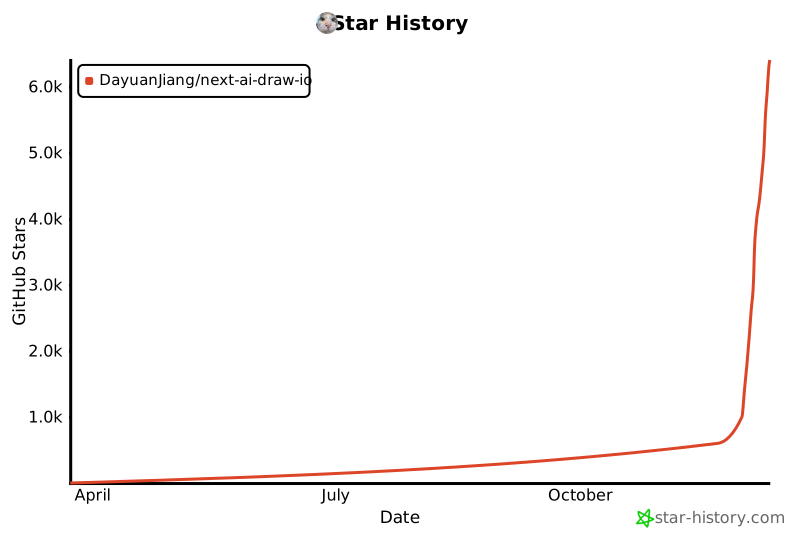](https://www.star-history.com/#DayuanJiang/next-ai-draw-io&type=date&legend=top-left)
|
||
|
||
---
|