# reinstall
[](https://app.codacy.com/gh/bin456789/reinstall/dashboard)
[](https://www.codefactor.io/repository/github/bin456789/reinstall)
[](https://github.com/aschey/vercel-tokei)
 One-Click OS reinstallation script for VPS [中文](README.md)
## Introduction
- One-click reinstallation to Linux: Supports 20 common distributions.
- One-click reinstallation to Windows: Uses the official original ISO instead of custom images. Supports automatically fetch the ISO link and installs public cloud drivers like `VirtIO`.
- Supports reinstallation in any direction, i.e., `Linux to Linux`, `Linux to Windows`, `Windows to Windows`, `Windows to Linux`
- Automatically configures IP and intelligently sets it as static or dynamic. Supports `/32`, `/128`, `gateway outside subnet`, `IPv6 only`, `IPv4/IPv6 on different NIC`
- Specially optimized for low-spec servers, requires less memory than the official netboot
- Uses partition table ID to identify hard drives throughout the process, ensuring no wrong disk is written
- Supports BIOS and EFI boot, and ARM Server
- No homemades image included, all resources are obtained in real-time from mirror sites
Buy me a milk tea:
[](https://github.com/sponsors/bin456789)
[](https://github.com/sponsors/bin456789)
### Feedback
[](https://github.com/bin456789/reinstall/issues)
[](https://t.me/reinstall_os)
## Quick Start
- [Download](#download-current-system-is--linux)
- [Feature 1. One-click reinstallation to Linux](#feature-1-install--linux)
- [Feature 2. One-click DD Raw image to hard disk](#feature-2-dd-raw-image-to-hard-disk)
- [Feature 3. One-click reboot to Alpine Live OS](#feature-3-reboot-to--alpine-live-os)
- [Feature 4. One-click reboot to netboot.xyz](#feature-4-reboot-to--netbootxyz)
- [Feature 5. One-click reinstallation to Windows](#feature-5-install--windows-iso)
- [Cancel the reinstallation](#cancel-the-reinstallation)
## System Requirements
The original system can be any system listed in the table.
The system requirements for the target system are as follows:
| System | Version | Memory | Disk |
| ---------------------------------------------------------------------------------------------------------------------------------------------------------------------------------------------------------------------------------------------------------------------------------------------------------------------------------------------------------------------- | ------------------------------------- | --------- | ---------------- |
|
One-Click OS reinstallation script for VPS [中文](README.md)
## Introduction
- One-click reinstallation to Linux: Supports 20 common distributions.
- One-click reinstallation to Windows: Uses the official original ISO instead of custom images. Supports automatically fetch the ISO link and installs public cloud drivers like `VirtIO`.
- Supports reinstallation in any direction, i.e., `Linux to Linux`, `Linux to Windows`, `Windows to Windows`, `Windows to Linux`
- Automatically configures IP and intelligently sets it as static or dynamic. Supports `/32`, `/128`, `gateway outside subnet`, `IPv6 only`, `IPv4/IPv6 on different NIC`
- Specially optimized for low-spec servers, requires less memory than the official netboot
- Uses partition table ID to identify hard drives throughout the process, ensuring no wrong disk is written
- Supports BIOS and EFI boot, and ARM Server
- No homemades image included, all resources are obtained in real-time from mirror sites
Buy me a milk tea:
[](https://github.com/sponsors/bin456789)
[](https://github.com/sponsors/bin456789)
### Feedback
[](https://github.com/bin456789/reinstall/issues)
[](https://t.me/reinstall_os)
## Quick Start
- [Download](#download-current-system-is--linux)
- [Feature 1. One-click reinstallation to Linux](#feature-1-install--linux)
- [Feature 2. One-click DD Raw image to hard disk](#feature-2-dd-raw-image-to-hard-disk)
- [Feature 3. One-click reboot to Alpine Live OS](#feature-3-reboot-to--alpine-live-os)
- [Feature 4. One-click reboot to netboot.xyz](#feature-4-reboot-to--netbootxyz)
- [Feature 5. One-click reinstallation to Windows](#feature-5-install--windows-iso)
- [Cancel the reinstallation](#cancel-the-reinstallation)
## System Requirements
The original system can be any system listed in the table.
The system requirements for the target system are as follows:
| System | Version | Memory | Disk |
| ---------------------------------------------------------------------------------------------------------------------------------------------------------------------------------------------------------------------------------------------------------------------------------------------------------------------------------------------------------------------- | ------------------------------------- | --------- | ---------------- |
|  Alpine | 3.21, 3.22, 3.23, 3.24 | 256 MB | 1 GB |
|
Alpine | 3.21, 3.22, 3.23, 3.24 | 256 MB | 1 GB |
|  Debian | 9 ELTS - 11 ELTS, 12, 13 | 256 MB | 1 ~ 1.5 GB ^ |
|
Debian | 9 ELTS - 11 ELTS, 12, 13 | 256 MB | 1 ~ 1.5 GB ^ |
|  Kali | Rolling | 256 MB | 1 ~ 1.5 GB ^ |
|
Kali | Rolling | 256 MB | 1 ~ 1.5 GB ^ |
|  Ubuntu | 18.04 LTS - 26.04 LTS | 512 MB \* | 2 GB |
|
Ubuntu | 18.04 LTS - 26.04 LTS | 512 MB \* | 2 GB |
|  Anolis | 7, 8, 23 | 512 MB \* | 5 GB |
|
Anolis | 7, 8, 23 | 512 MB \* | 5 GB |
|  RHEL
RHEL  AlmaLinux
  Rocky
Rocky  Oracle | 8, 9, 10 | 512 MB \* | 5 GB |
|
Oracle | 8, 9, 10 | 512 MB \* | 5 GB |
|  OpenCloudOS | 8, 9, Stream 23 | 512 MB \* | 5 GB |
|
OpenCloudOS | 8, 9, Stream 23 | 512 MB \* | 5 GB |
|  CentOS Stream | 9, 10 | 512 MB \* | 5 GB |
|
CentOS Stream | 9, 10 | 512 MB \* | 5 GB |
|  Fedora | 43, 44 | 512 MB \* | 5 GB |
|
Fedora | 43, 44 | 512 MB \* | 5 GB |
|  openEuler | 20.03 LTS - 24.03 LTS | 512 MB \* | 5 GB |
|
openEuler | 20.03 LTS - 24.03 LTS | 512 MB \* | 5 GB |
|  openSUSE | Leap 16.0, Tumbleweed (Rolling) | 512 MB \* | 5 GB |
|
openSUSE | Leap 16.0, Tumbleweed (Rolling) | 512 MB \* | 5 GB |
|  NixOS | 26.05 | 512 MB | 5 GB |
|
NixOS | 26.05 | 512 MB | 5 GB |
|  Arch Linux / Arch Linux ARM | Rolling | 512 MB | 5 GB |
|
Arch Linux / Arch Linux ARM | Rolling | 512 MB | 5 GB |
|  Gentoo | Rolling | 512 MB | 5 GB |
|
Gentoo | Rolling | 512 MB | 5 GB |
|  AOSC OS | Rolling | 512 MB | 5 GB |
|
AOSC OS | Rolling | 512 MB | 5 GB |
|  fnOS
fnOS  FygoOS | 1 | 512 MB | 10 GB |
|
FygoOS | 1 | 512 MB | 10 GB |
|  Windows (DD) | Any | 512 MB | Depends on image |
| Windows (ISO) | Vista, 7, 8.x (Server 2008 - 2012 R2) | 512 MB | 25 GB |
| Windows (ISO) | 10, 11 (Server 2016 - 2025) | 1 GB | 25 GB |
\* Indicates installation using cloud images, not traditional network installation.
^ Indicates requiring either 256 MB memory + 1.5 GB disk, or 512 MB memory + 1 GB disk
> [!WARNING]
>
> In theory it also supports dedicated servers and PCs
>
> but if you can use IPMI or a USB drive, this script is not recommended.
> [!WARNING]
>
> ❌ This script does not support OpenVZ or LXC virtual machines.
>
> Please use instead.
## Download (Current system is
Windows (DD) | Any | 512 MB | Depends on image |
| Windows (ISO) | Vista, 7, 8.x (Server 2008 - 2012 R2) | 512 MB | 25 GB |
| Windows (ISO) | 10, 11 (Server 2016 - 2025) | 1 GB | 25 GB |
\* Indicates installation using cloud images, not traditional network installation.
^ Indicates requiring either 256 MB memory + 1.5 GB disk, or 512 MB memory + 1 GB disk
> [!WARNING]
>
> In theory it also supports dedicated servers and PCs
>
> but if you can use IPMI or a USB drive, this script is not recommended.
> [!WARNING]
>
> ❌ This script does not support OpenVZ or LXC virtual machines.
>
> Please use instead.
## Download (Current system is  Linux)
For server outside China:
```bash
curl -O https://raw.githubusercontent.com/bin456789/reinstall/main/reinstall.sh || wget -O ${_##*/} $_
```
For server inside China:
```bash
curl -O https://cnb.cool/bin456789/reinstall/-/git/raw/main/reinstall.sh || wget -O ${_##*/} $_
```
## Download (Current system is Windows)
> [!IMPORTANT]
> Before proceeding, please disable the 'Real-time protection' feature in `Windows Defender`. This feature may prevent `certutil` from downloading any files.
Linux)
For server outside China:
```bash
curl -O https://raw.githubusercontent.com/bin456789/reinstall/main/reinstall.sh || wget -O ${_##*/} $_
```
For server inside China:
```bash
curl -O https://cnb.cool/bin456789/reinstall/-/git/raw/main/reinstall.sh || wget -O ${_##*/} $_
```
## Download (Current system is Windows)
> [!IMPORTANT]
> Before proceeding, please disable the 'Real-time protection' feature in `Windows Defender`. This feature may prevent `certutil` from downloading any files.
Resolving Script Download Issues on Windows 7
Due to lack of support for TLS 1.2, SHA-256, or outdated root certificates, Windows Vista, 7, and Server 2008 (R2) may not be able to download scripts automatically. Manual downloading is required, as follows:
Use Internet Explorer (enable TLS 1.2 in IE's advanced settings first) to download, or use Remote Desktop to save the following two files into the same directory:
-
-
To use, run the downloaded `reinstall.bat`.
For server outside China:
```batch
certutil -urlcache -f -split https://raw.githubusercontent.com/bin456789/reinstall/main/reinstall.bat
```
For server inside China:
```batch
certutil -urlcache -f -split https://cnb.cool/bin456789/reinstall/-/git/raw/main/reinstall.bat
```
## Usage
**All features** can be used on both Linux and Windows.
- on Linux, run `bash reinstall.sh ...`
- on Windows, first run `cmd`, then run `.\reinstall.bat ...`
- If the link in the parameter contains special characters, it should be enclosed in `""`, not `''`.
### Feature 1: Install Linux
> [!CAUTION]
>
> This feature will erase **the entire hard disk** of the current system (including other partitions)!
>
> If the script was run by mistake, you can run `bash reinstall.sh reset` before rebooting to cancel the reinstallation operation.
- The script prompts for a username and password. If left blank, will use `root` and random password.
- If no version specified, will install the latest version.
- Maximizes disk space utilization: no boot or swap partitions.
- Automatically install optimized kernel based on machine type and vendor.
- When installing Red Hat, you must provide the `qcow2` image link obtained from . You can also install `qcow2` of other RHEL-based OS, such as `Alibaba Cloud Linux` and `TencentOS Server`.
- After reinstallation, if you need to change the SSH port or switch to key-based login, make sure to also modify the files inside `/etc/ssh/sshd_config.d/`.
- To ensure a faster reinstall, the new system will not be updated during the process. Please update the system manually after reinstallation.
- The username, password, and key configured during the installation of fnOS/FygoOS are only used to log in via SSH to view logs during installation, and will not be applied to the new system. After installation, you need to go to the admin panel at to create a user and enable SSH.
```bash
bash reinstall.sh anolis 7|8|23
rocky 8|9|10
oracle 8|9|10
almalinux 8|9|10
opencloudos 8|9|23
centos 9|10
fnos 1
fygoos 1
nixos 26.05
fedora 43|44
debian 9|10|11|12|13
opensuse 16.0|tumbleweed
openeuler 20.03|22.03|24.03
alpine 3.21|3.22|3.23|3.24
ubuntu 18.04|20.04|22.04|24.04|26.04 [--minimal]
kali
arch
gentoo
aosc
redhat --img="http://access.cdn.redhat.com/xxx.qcow2"
```
#### Optional Parameters
- `--username USERNAME` Set the username
- `--password PASSWORD` Set the password
- `--ssh-key KEY` Set up SSH login public key, [formatted as follows](#--ssh-key). When using public key, password is empty.
- `--ssh-port PORT` Change the SSH port
- `--web-port PORT` Change the Web port (for log observation during installation only)
- `--frpc-config PATH` Add frpc for intranet tunneling. Parameter can be local filepath or HTTP URL of the configuration file.
- `--hold 1` Reboot only into install environment, without running installer, only for SSH connect to test network connection.
- `--hold 2` Prevent reboot after installation completes, allowing SSH login to modify system content; the system is mounted at `/target` for Debian/Kali and `/os` for other distros.
> [!TIP]
>
> Can monitor the progress through various methods (SSH, HTTP 80 port, VNC from server provider, serial console).
>
> Even if errors occur during the installation process, SSH is available for manual recovery.
>
> If the target system is not Debian/Kali, run `/trans.sh alpine` can automatically recover to Alpine Linux.
Deprecated Features
Install Debian using a cloud image
- Suitable for machines with slower CPUs
```bash
bash reinstall.sh debian --ci
```
Install CentOS, AlmaLinux, Rocky, Fedora using ISO
- Only supports machines with more than 2G of memory and dynamic IP.
- Username is `root`, Password is `123@@@`, and the SSH port is `22`; modifying them using parameters is not supported.
```bash
bash reinstall.sh centos --installer
bash reinstall.sh almalinux --installer
bash reinstall.sh rocky --installer
bash reinstall.sh fedora --installer
```
Install Ubuntu using ISO
- Only supports machines with more than 1G of memory and dynamic IP.
- Username is `root`, Password is `123@@@`, and the SSH port is `22`; modifying them using parameters is not supported.
```bash
bash reinstall.sh ubuntu --installer
```
### Feature 2: DD RAW image to hard disk
> [!CAUTION]
>
> This feature will erase **the entire hard disk** of the current system (including other partitions)!
>
> If the script was run by mistake, you can run `bash reinstall.sh reset` before rebooting to cancel the reinstallation operation.
- Supports `raw` and fixed-size `vhd` image formats. Either uncompressed or compressed as `.gz`, `.xz`, `.zst`, `.tar`, `.tar.gz`, `.tar.xz`, `.tar.zst`.
- When deploy a Windows image, the system disk will be automatically expanded, and machines with a static IP will have their IP configured, and may take a few minutes after the first boot for the configuration to take effect.
- When deploy a Linux image, will **NOT** modify any contents of the image.
- The script prompts for a username and password for SSH to view logs during the installation. If left blank, will use `root` and random password.
```bash
bash reinstall.sh dd --img "https://example.com/xxx.xz"
```
#### Optional Parameters
- `--username USERNAME` Set username (for log observation during installation)
- `--password PASSWORD` Set Password (for log observation during installation)
- `--ssh-key KEY` Set up SSH login public key (for log observation during installation), [formatted as follows](#--ssh-key). When using public key, password is empty.
- `--ssh-port PORT` Change SSH port (for log observation during installation)
- `--rdp-port PORT` Change RDP port (DD Windows only)
- `--web-port PORT` Change Web port (for log observation during installation)
- `--allow-ping` Configure Windows Firewall to Allow Ping Responses (DD Windows only)
- `--frpc-config PATH` Add frpc for intranet tunneling (DD Windows only). Parameter can be local filepath or HTTP URL of the configuration file.
- `--cloud-data PATH_OR_URL` Inject cloud-init NoCloud configuration into the DD'd Linux image (DD Linux only)
- `--hold 1` Reboot only into install environment, without running installer, only for SSH connect to test network connection.
- `--hold 2` Prevent reboot after the DD process finishes. For SSH login to modify system content. The Windows system will be mounted at `/os`, but Linux systems will **NOT** be automatically mounted.
> [!TIP]
>
> `--cloud-data` accepts a local directory path or an HTTP base URL. The directory must contain a `user-data` file; `meta-data` and `network-config` are optional:
>
> ```bash
> seed/
> ├── user-data # required
> ├── meta-data # optional
> └── network-config # optional
> ```
>
> ```bash
> # Local directory
> bash reinstall.sh dd --img "https://example.com/xxx.xz" --cloud-data /path/to/seed/
> # HTTP directory
> bash reinstall.sh dd --img "https://example.com/xxx.xz" --cloud-data "https://example.com/seed/"
> ```
> [!TIP]
>
> Can monitor the progress through various methods (SSH, HTTP 80 port, VNC from server provider, serial console).
>
> Even if errors occur during the installation process, SSH is available for manual recovery.
>
> Or Run `/trans.sh alpine` to automatically recover to Alpine Linux.
### Feature 3: Reboot to Alpine Live OS
- You can use SSH to backup/restore disk, manually perform DD operations, partition modifications, manual Alpine installation, and other operations.
- The script prompts for a username and password. If left blank, will use `root` and random password.
> [!TIP]
>
> Although the script being run is `reinstall`, this feature **does not** delete any data or perform an automatic reinstallation; manual user operation is required.
>
> If the user does not damage the original system during manual operation, rebooting will return to the original system.
```bash
bash reinstall.sh alpine --hold 1
```
#### Optional Parameters
- `--username USERNAME` Set username
- `--password PASSWORD` Set password
- `--ssh-key KEY` Set up SSH login public key, [formatted as follows](#--ssh-key). When using public key, password is empty.
- `--ssh-port PORT` Change SSH port
- `--frpc-config PATH` Add frpc for intranet tunneling. Parameter can be local filepath or HTTP URL of the configuration file.
### Feature 4: Reboot to  netboot.xyz
- Can manually install [more systems](https://github.com/netbootxyz/netboot.xyz?tab=readme-ov-file#what-operating-systems-are-currently-available-on-netbootxyz) using vendor backend VNC.
> [!TIP]
>
> Although the script being run is `reinstall`, this feature **does not** delete any data or perform an automatic reinstallation; manual user operation is required.
>
> If the user does not damage the original system during manual operation, rebooting will return to the original system.
```bash
bash reinstall.sh netboot.xyz
```
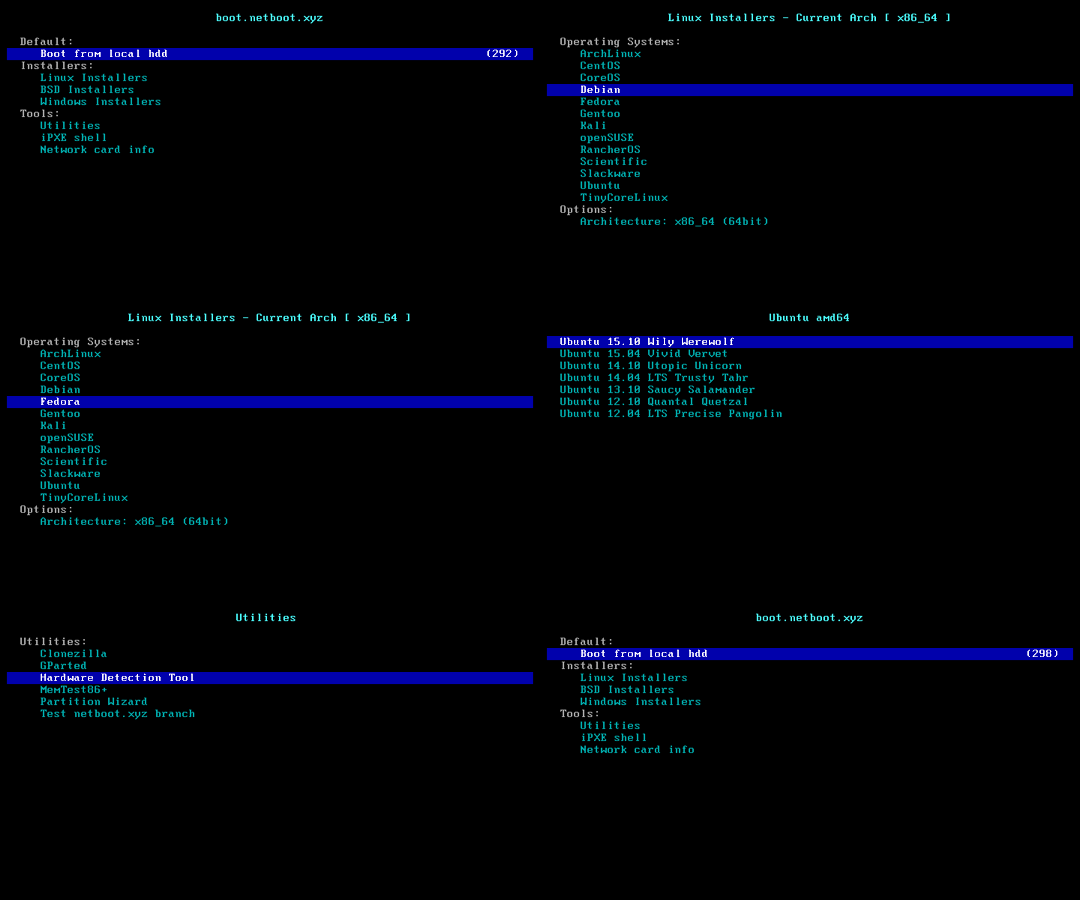
### Feature 5: Install Windows ISO

> [!CAUTION]
>
> This feature will erase **the entire hard disk** of the current system (including other partitions)!
>
> If the script was run by mistake, you can run `bash reinstall.sh reset` before rebooting to cancel the reinstallation operation.
- The script prompts for a username and password. If left blank, will use `administrator` and random password.
- In a few languages, the system administrator account is not `administrator`. [Details](https://learn.microsoft.com/archive/technet-wiki/13813.localized-names-for-administrator-account-in-windows#list-of-languages-that-localize-the-administrator-account-name)
- If remote login fails, try adding `.\` before the username, for example, `.\administrator`.
- The machine with a static IP will automatically configure the IP. It may take a few minutes to take effect on the first boot.
- Supports ISO images in any language.
- Automatically bypassing Windows 11 hardware requirements.
#### Supported Systems
- Windows (Vista ~ 11)
- Windows Server (2008 ~ 2025)
- Windows Server Essentials
- Windows Server (Semi) Annual Channel
- Hyper-V Server
- Azure Local (Azure Stack HCI)
#### Method 1: Let the Script Automatically Search for ISO
- The script will search for ISOs from , a site that collects official ISOs.
```bash
bash reinstall.sh windows \
--image-name "Windows 11 Enterprise LTSC 2024" \
--lang zh-cn
```
netboot.xyz
- Can manually install [more systems](https://github.com/netbootxyz/netboot.xyz?tab=readme-ov-file#what-operating-systems-are-currently-available-on-netbootxyz) using vendor backend VNC.
> [!TIP]
>
> Although the script being run is `reinstall`, this feature **does not** delete any data or perform an automatic reinstallation; manual user operation is required.
>
> If the user does not damage the original system during manual operation, rebooting will return to the original system.
```bash
bash reinstall.sh netboot.xyz
```

### Feature 5: Install Windows ISO

> [!CAUTION]
>
> This feature will erase **the entire hard disk** of the current system (including other partitions)!
>
> If the script was run by mistake, you can run `bash reinstall.sh reset` before rebooting to cancel the reinstallation operation.
- The script prompts for a username and password. If left blank, will use `administrator` and random password.
- In a few languages, the system administrator account is not `administrator`. [Details](https://learn.microsoft.com/archive/technet-wiki/13813.localized-names-for-administrator-account-in-windows#list-of-languages-that-localize-the-administrator-account-name)
- If remote login fails, try adding `.\` before the username, for example, `.\administrator`.
- The machine with a static IP will automatically configure the IP. It may take a few minutes to take effect on the first boot.
- Supports ISO images in any language.
- Automatically bypassing Windows 11 hardware requirements.
#### Supported Systems
- Windows (Vista ~ 11)
- Windows Server (2008 ~ 2025)
- Windows Server Essentials
- Windows Server (Semi) Annual Channel
- Hyper-V Server
- Azure Local (Azure Stack HCI)
#### Method 1: Let the Script Automatically Search for ISO
- The script will search for ISOs from , a site that collects official ISOs.
```bash
bash reinstall.sh windows \
--image-name "Windows 11 Enterprise LTSC 2024" \
--lang zh-cn
```
--image-name list
The following editions support automatic ISO search. For other editions, please use Method 2 to manually specify the ISO link for installation.
```text
Windows Vista Starter
Windows Vista HomeBasic
Windows Vista HomePremium
Windows Vista Business
Windows Vista Ultimate
Windows Vista Enterprise
Windows 7 Starter
Windows 7 HomeBasic
Windows 7 HomePremium
Windows 7 Professional
Windows 7 Ultimate
Windows 7 Enterprise
Windows 8
Windows 8 Pro
Windows 8 Enterprise
Windows 8.1
Windows 8.1 Pro
Windows 8.1 Enterprise
Windows 10 Home
Windows 10 Home Single Language
Windows 10 Pro
Windows 10 Pro Education
Windows 10 Pro for Workstations
Windows 10 Education
Windows 10 Enterprise
Windows 10 Enterprise 2015 LTSB
Windows 10 Enterprise 2016 LTSB
Windows 10 Enterprise LTSC 2019
Windows 10 Enterprise LTSC 2021
Windows 10 IoT Enterprise
Windows 10 IoT Enterprise 2015 LTSB
Windows 10 IoT Enterprise 2016 LTSB
Windows 10 IoT Enterprise LTSC 2019
Windows 10 IoT Enterprise LTSC 2021
Windows 11 Home
Windows 11 Home Single Language
Windows 11 Pro
Windows 11 Pro Education
Windows 11 Pro for Workstations
Windows 11 Education
Windows 11 Enterprise
Windows 11 Enterprise LTSC 2024
Windows 11 IoT Enterprise
Windows 11 IoT Enterprise LTSC 2024
Windows 11 IoT Enterprise Subscription
Windows 11 IoT Enterprise Subscription LTSC 2024
Windows Longhorn ServerWeb
Windows Longhorn ServerWebCore
Windows Longhorn ServerStandard
Windows Longhorn ServerStandardCore
Windows Longhorn ServerEnterprise
Windows Longhorn ServerEnterpriseCore
Windows Longhorn ServerDatacenter
Windows Longhorn ServerDatacenterCore
Windows Server 2008 R2 ServerWeb
Windows Server 2008 R2 ServerWebCore
Windows Server 2008 R2 ServerStandard
Windows Server 2008 R2 ServerStandardCore
Windows Server 2008 R2 ServerEnterprise
Windows Server 2008 R2 ServerEnterpriseCore
Windows Server 2008 R2 ServerDatacenter
Windows Server 2008 R2 ServerDatacenterCore
Windows Server 2012 ServerStandard
Windows Server 2012 ServerStandardCore
Windows Server 2012 ServerDatacenter
Windows Server 2012 ServerDatacenterCore
Windows Server 2012 R2 ServerStandard
Windows Server 2012 R2 ServerStandardCore
Windows Server 2012 R2 ServerDatacenter
Windows Server 2012 R2 ServerDatacenterCore
Windows Server 2016 ServerStandard
Windows Server 2016 ServerStandardCore
Windows Server 2016 ServerDatacenter
Windows Server 2016 ServerDatacenterCore
Windows Server 2019 ServerStandard
Windows Server 2019 ServerStandardCore
Windows Server 2019 ServerDatacenter
Windows Server 2019 ServerDatacenterCore
Windows Server 2022 ServerStandard
Windows Server 2022 ServerStandardCore
Windows Server 2022 ServerDatacenter
Windows Server 2022 ServerDatacenterCore
Windows Server 2025 ServerStandard
Windows Server 2025 ServerStandardCore
Windows Server 2025 ServerDatacenter
Windows Server 2025 ServerDatacenterCore
```
--lang list
Supports these three language format codes. Case insensitive.
| CC Format | CC-CC Format | Language |
| - | - | - |
| ar | ar-sa | Arabic |
| bg | bg-bg | Bulgarian |
| cs | cs-cz | Czech |
| da | da-dk | Danish |
| de | de-de | German |
| el | el-gr | Greek |
| gb | en-gb | Eng_Intl |
| en | en-us | English |
| es | es-es | Spanish |
| mx | es-mx | Spanish_Latam |
| et | et-ee | Estonian |
| fi | fi-fi | Finnish |
| | fr-ca | FrenchCanadian |
| fr | fr-fr | French |
| he | he-il | Hebrew |
| hr | hr-hr | Croatian |
| hu | hu-hu | Hungarian |
| it | it-it | Italian |
| ja | ja-jp | Japanese |
| ko | ko-kr | Korean |
| lt | lt-lt | Lithuanian |
| lv | lv-lv | Latvian |
| no | nb-no | Norwegian |
| nl | nl-nl | Dutch |
| pl | pl-pl | Polish |
| pp | pt-pt | Portuguese |
| pt | pt-br | Brazilian |
| ro | ro-ro | Romanian |
| ru | ru-ru | Russian |
| sk | sk-sk | Slovak |
| sl | sl-si | Slovenian |
| sr | sr-latn / sr-latn-rs | Serbian_Latin |
| sv | sv-se | Swedish |
| th | th-th | Thai |
| tr | tr-tr | Turkish |
| uk | uk-ua | Ukrainian |
| cn | zh-cn | ChnSimp |
| tw | zh-tw | ChnTrad |
| hk | zh-hk | ChnTrad_Hong_Kong |
#### Method 2: Specify the ISO link manually
- If you don't know the `--image-name`, you can enter any value. After rebooting, connect via SSH and re-enter the correct value based on the error messages.
```bash
bash reinstall.sh windows \
--image-name "Windows 11 Enterprise LTSC 2024 Evaluation" \
--iso "https://go.microsoft.com/fwlink/?linkid=2289029"
```
or Magnet Link
```bash
bash reinstall.sh windows \
--image-name "Windows 11 Enterprise LTSC 2024" \
--iso "magnet:?xt=urn:btih:7352bd2db48c3381dffa783763dc75aa4a6f1cff"
```
The following website provides ISO links.
- General
- (Recommended, ISOs are up to date)
- (Recommended, ISOs are up to date)
-
-
- (Need to open it with a non-Windows User-Agent)
-
-
- Evaluation
-
-
-
-
-
-
-
- Insider Preview
-
-
#### Optional Parameters
- `--username USERNAME` Set Username
- `--password PASSWORD` Set Password
- `--rdp-port PORT` Change RDP port
- `--ssh-port PORT` Change SSH port (for log observation during installation only)
- `--web-port PORT` Change Web port (for log observation during installation only)
- `--allow-ping` Configure Windows Firewall to Allow Ping Responses
- `--add-driver INF_OR_DIR` Add additional driver, specifying .inf path, or the folder contains .inf file.
- The driver must be downloaded to current system first.
- This parameter can be set multiple times to add different driver.
- `--frpc-config PATH` Add frpc for intranet tunneling. Parameter can be local filepath or HTTP URL of the configuration file.
- `--hold 1` Reboot only into install environment, without running installer, only for SSH connect to test network connection.
- `--hold 2` Allow SSH connections for modifying `boot.wim`, `install.wim` or other contents before rebooting into the official Windows installation program, with the disk mounted at `/os`.
#### The following drivers will automatic download and install as needed, without the need for manual addition
- VirtIO ([Community][virtio-virtio], [Alibaba Cloud][virtio-aliyun], [Tencent Cloud][virtio-qcloud], [GCP][virtio-gcp], [GCP (Win7/2008 SHA-1)][virtio-gcp-win6.1sha1]))
- XEN ([~~Community~~][xen-xen] (unsigned), [Citrix][xen-citrix], [AWS][xen-aws])
- AWS ([ENA Network Adapter][aws-ena], [NVMe Storage Controller][aws-nvme], [VMClock Virtual Clock][aws-vmclock], [PCI Serial][aws-pciserial]))
- GCP ([gVNIC Network Adapter][gcp-gvnic], [GGA Display Adapter][gcp-gga])
- Azure ([MANA Network Adapter][azure-mana])
- Intel (VMD Storage Controller: [11th Gen Core][intel-vmd-gen11], [12th-15th Gen Core][intel-vmd-gen12-to-gen15], [Core Ultra 3][intel-vmd-ultra3], Network Adapter: [7][intel-nic-7], [8.x][intel-nic-8.1], [10][intel-nic-10], [11][intel-nic-11], [2008 R2][intel-nic-7], [2012][intel-nic-2012], [2012 R2][intel-nic-2012-r2], [2016][intel-nic-2016], [2019][intel-nic-2019], [2022][intel-nic-2022], [2025][intel-nic-2025])
[virtio-virtio]: https://fedorapeople.org/groups/virt/virtio-win/direct-downloads/
[virtio-aliyun]: https://www.alibabacloud.com/help/ecs/user-guide/install-the-virtio-driver-1
[virtio-qcloud]: https://cloud.tencent.com/document/product/213/17815#b84b2032-752c-43c4-a509-73530b8f82ff
[virtio-gcp]: https://packages.cloud.google.com/yuck/repos/google-compute-engine-stable/index
[virtio-gcp-win6.1sha1]: https://console.cloud.google.com/storage/browser/gce-windows-drivers-public/win6.1sha1
[xen-xen]: https://xenbits.xenproject.org/pvdrivers/win/
[xen-aws]: https://docs.aws.amazon.com/AWSEC2/latest/UserGuide/xen-drivers-overview.html
[xen-citrix]: https://docs.aws.amazon.com/AWSEC2/latest/UserGuide/Upgrading_PV_drivers.html#win2008-citrix-upgrade
[aws-ena]: https://docs.aws.amazon.com/AWSEC2/latest/UserGuide/ena-driver-releases-windows.html
[aws-nvme]: https://docs.aws.amazon.com/AWSEC2/latest/UserGuide/nvme-driver-version-history.html
[aws-vmclock]: https://docs.aws.amazon.com/AWSEC2/latest/UserGuide/other-windows-device-drivers.html
[aws-pciserial]: https://docs.aws.amazon.com/AWSEC2/latest/UserGuide/migrating-latest-types.html#install-serial-port-bare-metal
[gcp-gvnic]: https://packages.cloud.google.com/yuck/repos/google-compute-engine-driver-gvnic-stable/index
[gcp-gga]: https://packages.cloud.google.com/yuck/repos/google-compute-engine-driver-gga-stable/index
[azure-mana]: https://learn.microsoft.com/azure/virtual-network/accelerated-networking-mana-windows
[intel-vmd-gen11]: https://www.intel.com/content/www/us/en/download/849933/intel-rapid-storage-technology-driver-installation-software-with-intel-optane-memory-12th-to-13th-gen-platforms.html
[intel-vmd-gen12-to-gen15]: https://www.intel.com/content/www/us/en/download/849936/intel-rapid-storage-technology-driver-installation-software-with-intel-optane-memory-12th-to-15th-gen-platforms.html
[intel-vmd-ultra3]: https://www.intel.com/content/www/us/en/download/920456/intel-rapid-storage-technology-driver-installation-software-for-intel-core-ultra-series-3-platforms.html
[intel-nic-7]: https://www.intel.com/content/www/us/en/download/15590/intel-network-adapter-driver-for-windows-7-final-release.html
[intel-nic-8.1]: https://www.intel.com/content/www/us/en/download/17479/intel-network-adapter-driver-for-windows-8-1.html
[intel-nic-10]: https://www.intel.com/content/www/us/en/download/18293/intel-network-adapter-driver-for-windows-10.html
[intel-nic-11]: https://www.intel.com/content/www/us/en/download/727998/intel-network-adapter-driver-for-microsoft-windows-11.html
[intel-nic-2012]: https://www.intel.com/content/www/us/en/download/16789/intel-network-adapter-driver-for-windows-server-2012.html
[intel-nic-2012-r2]: https://www.intel.com/content/www/us/en/download/17480/intel-network-adapter-driver-for-windows-server-2012-r2.html
[intel-nic-2016]: https://www.intel.com/content/www/us/en/download/18737/intel-network-adapter-driver-for-windows-server-2016.html
[intel-nic-2019]: https://www.intel.com/content/www/us/en/download/19372/intel-network-adapter-driver-for-windows-server-2019.html
[intel-nic-2022]: https://www.intel.com/content/www/us/en/download/706171/intel-network-adapter-driver-for-windows-server-2022.html
[intel-nic-2025]: https://www.intel.com/content/www/us/en/download/838943/intel-network-adapter-driver-for-windows-server-2025.html
#### How to Specify the Image Name `--image-name`
An ISO usually contains multiple system editions, such as Home and Pro. Therefore, you need to use `--image-name` to specify the system edition (image name) to install, case-insensitive.
You can use tools like DISM, DISM++, or Wimlib to query the image names included in the ISO.
#### How to Use [DISM++](https://github.com/Chuyu-Team/Dism-Multi-language/releases) to Query the Image Names Included in the ISO
Open File menu > Open Image File, select the iso to be installed to get the image name (full system name), and all available image names are installable.

> [!WARNING]
> Vista, Server 2008 and 32-bit systems may lack drivers.
> [!WARNING]
>
> For Vista, 7, Server 2008, Server 2008 R2 installation:
>
> 1. EFI-boot machines must enable CSM.
>
> 2. On Hyper-V / Azure, select Generation 1 VM.
> [!WARNING]
>
> In the Chinese version of Windows 10 LTSC 2021 ISO `zh-cn_windows_10_enterprise_ltsc_2021_x64_dvd_033b7312.iso`, the `wsappx` process may indefinitely consume CPU resources.
>
> The solution is to update the system patches or manually install the `VCLibs` library .
> [!WARNING]
>
> When installing Windows ISOs released in `May 2022` or later on GCP, the system may repeatedly reboot during the Windows installation (PE) stage. You can resolve this issue using one of the following two methods:
>
> 1. Add the `--force-boot-mode bios` parameter. The script will install Windows in `BIOS boot + MBR partition table` mode.
>
> (Optional) After installation, you can convert it to `EFI boot + GPT partition table` using the command `MBR2GPT /convert /allowFullOS`.
>
> 2. Create a custom RAW image and install it via DD.
#### Considerations for Installing Windows on ARM
Most ARM cloud server support installing Windows 11.
During the installation process, you might encounter a black screen, and the serial console may display `ConvertPages: failed to find range`, but neither issue affects the installation.
| Compatibility | Cloud Provider | Instance Type | Issues |
| ------------- | -------------- | ----------------------- | ----------------------------------------------------------------------------------- |
| ✔️ | Azure | B2pts_v2 | |
| ✔️ | AWS | T4g | |
| ✔️ | Scaleway | COPARM1 | |
| ✔️ | Gcore | | |
| ❔ | Alibaba Cloud | g6r, c6r, g8y, c8y, r8y | Might hanging at the boot logo during restart; forced reboot will resolve it. |
| ❔ | Oracle Cloud | A1.Flex | Installation success is not guaranteed; newer instances are more likely to succeed. |
| ❌ | Google Cloud | t2a | Missing network card drivers |
### Cancel the reinstallation
- If the script was run by mistake, you can run this command to cancel the reinstallation operation.
- Must be run before rebooting.
```bash
bash reinstall.sh reset
```
## Parameter Format
### --ssh-key
- `--ssh-key "ssh-rsa ..."`
- `--ssh-key "ssh-ed25519 ..."`
- `--ssh-key "ecdsa-sha2-nistp256/384/521 ..."`
- `--ssh-key http://path/to/public_key`
- `--ssh-key github:your_username` or `--ssh-key gh:your_username`
- `--ssh-key gitlab:your_username` or `--ssh-key gl:your_username`
- `--ssh-key /path/to/public_key`
- `--ssh-key C:\path\to\public_key`
## How to Use an Old Version
According to the Law of Bug Conservation, fixing old bugs often introduces new ones.
If a bug occurs, try using an older version to see if it works.
Go to and find the old version’s `commit_id` on the right side.
Replace `xxxxxxxx` in the script below with the `commit_id` of an older version and run the script.
```bash
commit_id=xxxxxxxx
curl -O https://raw.githubusercontent.com/bin456789/reinstall/$commit_id/reinstall.sh || wget -O ${_##*/} $_
sed -i "/^confhome.*main$/s/main/$commit_id/" reinstall.sh
bash reinstall.sh ...
```
## How to Modify the Script for Your Own
1. Fork this repository.
2. Modify the `confhome` and `confhome_cn` at the beginning of `reinstall.sh` and `reinstall.bat`.
3. Make changes to the other code.
4. Download and run your `reinstall.sh` or `reinstall.bat`."
## Thanks
Thanks to the following businesses for providing free servers.
[](https://www.oracle.com/cloud/)
[](https://dartnode.com/)