Describe a diagram in a sentence and the AI draws it on a real draw.io canvas. Edit it by hand like any draw.io file, or select a few shapes and tell the AI what to change. Every AI change is a version you can compare, restore or undo, and the result exports as `.drawio`, `.png` or `.svg`.
- Edit by chat: changes stream onto the canvas and the shapes the AI just changed are highlighted
- Ask about a selection: select shapes on the canvas and the AI changes only those
- Versions and undo: every AI change is a version card with a thumbnail; compare it with the canvas, restore it or undo it, and Ctrl+Z on the canvas also takes back an AI change in one step
- It is a normal draw.io diagram: double-click to rename, drag, restyle, use several pages, and export as `.drawio`, `.png`, `.svg` or `.drawio.svg` at any time
Open [next-ai-drawio.jiang.jp](https://next-ai-drawio.jiang.jp/), nothing to install. The demo has a usage limit; click the settings icon in the chat panel and enter your own provider and API key to lift it. The key stays in your browser and is never sent to the server for storage.
Download the Windows, macOS or Linux installer from the [Releases page](https://github.com/DayuanJiang/next-ai-draw-io/releases).
### In your AI agent (MCP)
Through MCP (Model Context Protocol, the protocol AI agents use to call outside tools), Claude Desktop, Cursor, VS Code and others can draw draw.io diagrams directly. Add this to your client's MCP configuration:
Then ask the AI for "a flowchart of user authentication with login, MFA and session management" and the diagram appears in your browser as it is drawn. The MCP server has most of the web app's drawing features:
| Tencent EdgeOne Pages | [](https://edgeone.ai/pages/new?repository-url=https%3A%2F%2Fgithub.com%2FDayuanJiang%2Fnext-ai-draw-io) Deploying there also gives you a [daily free quota for DeepSeek models](https://pages.edgeone.ai/document/edge-ai) |
| Vercel | [](https://vercel.com/new/clone?repository-url=https%3A%2F%2Fgithub.com%2FDayuanJiang%2Fnext-ai-draw-io) Set the same environment variables in the Vercel dashboard as in your `.env.local` |
24 providers are supported: AWS Bedrock (default), OpenAI, Anthropic, Google AI, Google Vertex AI, Azure OpenAI, Ollama, OpenRouter, AIHubMix, DeepSeek, SiliconFlow, SGLang, Vercel AI Gateway, Tencent EdgeOne, ByteDance Doubao, ModelScope, Zhipu GLM, Qwen, Qiniu, Kimi, MiniMax, Novita, Xiaomi MiMo and Atlas Cloud. The environment variables and notes for each are in the [provider configuration guide](./docs/en/ai-providers.md).
**Which model**: the task is to produce long text in a strict format (draw.io XML), so pick a capable model; small models tend to produce broken diagrams.
**Several models and the admin panel**: list several model IDs in `AI_MODEL` separated by commas, or configure models from several providers with the `AI_MODELS_CONFIG` environment variable or an `ai-models.json` file, and every user can use them without a key of their own. Set `ADMIN_PASSWORD` and open `/admin` to manage models, access codes, feature switches, observability and quotas from a web page; see the [admin panel guide](./docs/en/admin-panel.md).
[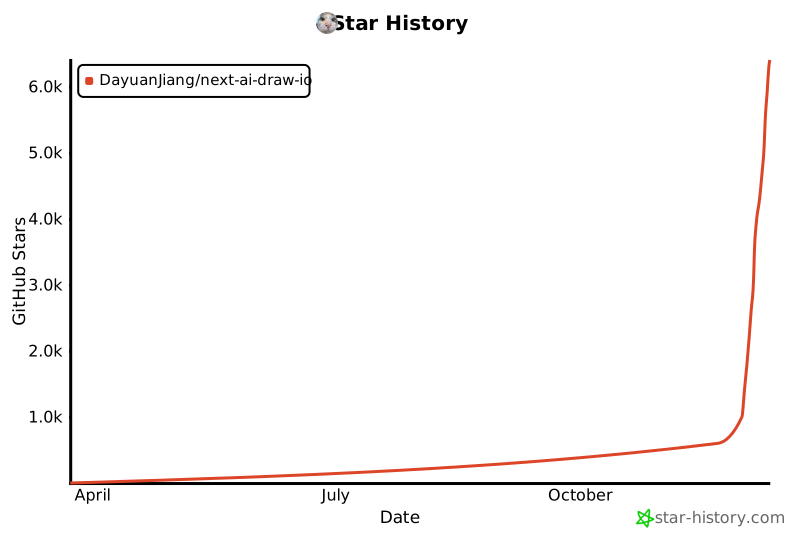](https://www.star-history.com/#DayuanJiang/next-ai-draw-io&type=date&legend=top-left)
